OpenGate Microsoft Access Tools Library
Ready-to-Deploy Utilities, UI Controls & VBA Code Modules
Extend your Microsoft Access databases with turnkey, tested functionality. Each library module includes clear documentation, complete VBA source code, and working sample forms—requiring as little as a single line of code to deploy. Compatible with Access 2003 through Microsoft 365 (32-bit and 64-bit).
How to Access: Full library access is included for customers licensing UI Builder Enterprise, Dashboard Builder Professional, Workflow Builder, or any OpenGate Product Bundle.
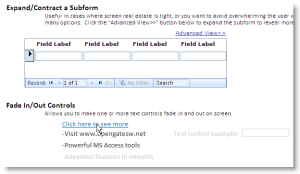
Web 2.0 Effects for Access Free Download
Add responsive, modern interface behaviors to your Microsoft Access forms without third-party ActiveX controls. Features include dynamic collapsible subforms to maximize workspace efficiency and single-line VBA fade in/out transitions for form controls.
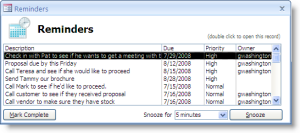
Activity & Task Reminders for MS Access
Share task notifications and follow-up alerts directly inside your multi-user Access application. Create reminders with a single line of VBA, filter by assigned user or role, and configure double-click actions that navigate directly to the related record.
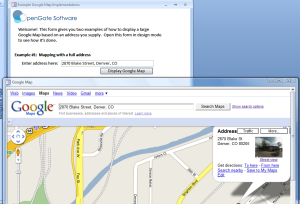
Integrated Google Mapping for Access Forms
Embed interactive geographic maps directly on your forms without popping out to an external browser window. Pass formatted single-line addresses or discrete address fields (Street, City, State, ZIP) via VBA to display location points instantly.
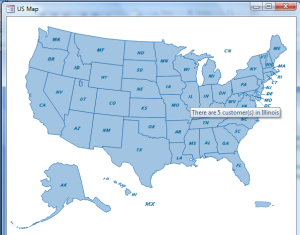
US Map Hover Statistics & Analytics
Visualize state-by-state data dynamically on an interactive United States map. Bind to queries containing two-letter state codes to present aggregate metrics (such as regional revenue or customer distribution) with interactive mouse hover details.
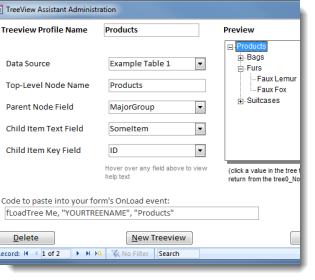
TreeView Assistant for Microsoft Access New
Display complex hierarchical relational data without writing nested TreeView node-building algorithms from scratch. Import the 3 pre-built objects, create your 3-level tree profile, and paste the generated VBA snippet into your form's Form_Load event.